
Which AI Design Tool Is Actually Better for Designers?
AI design tools are no longer just about generating one impressive image.
The bigger question is how easily that image can become a finished design.
Adobe Firefly and Canva AI approach that process very differently.
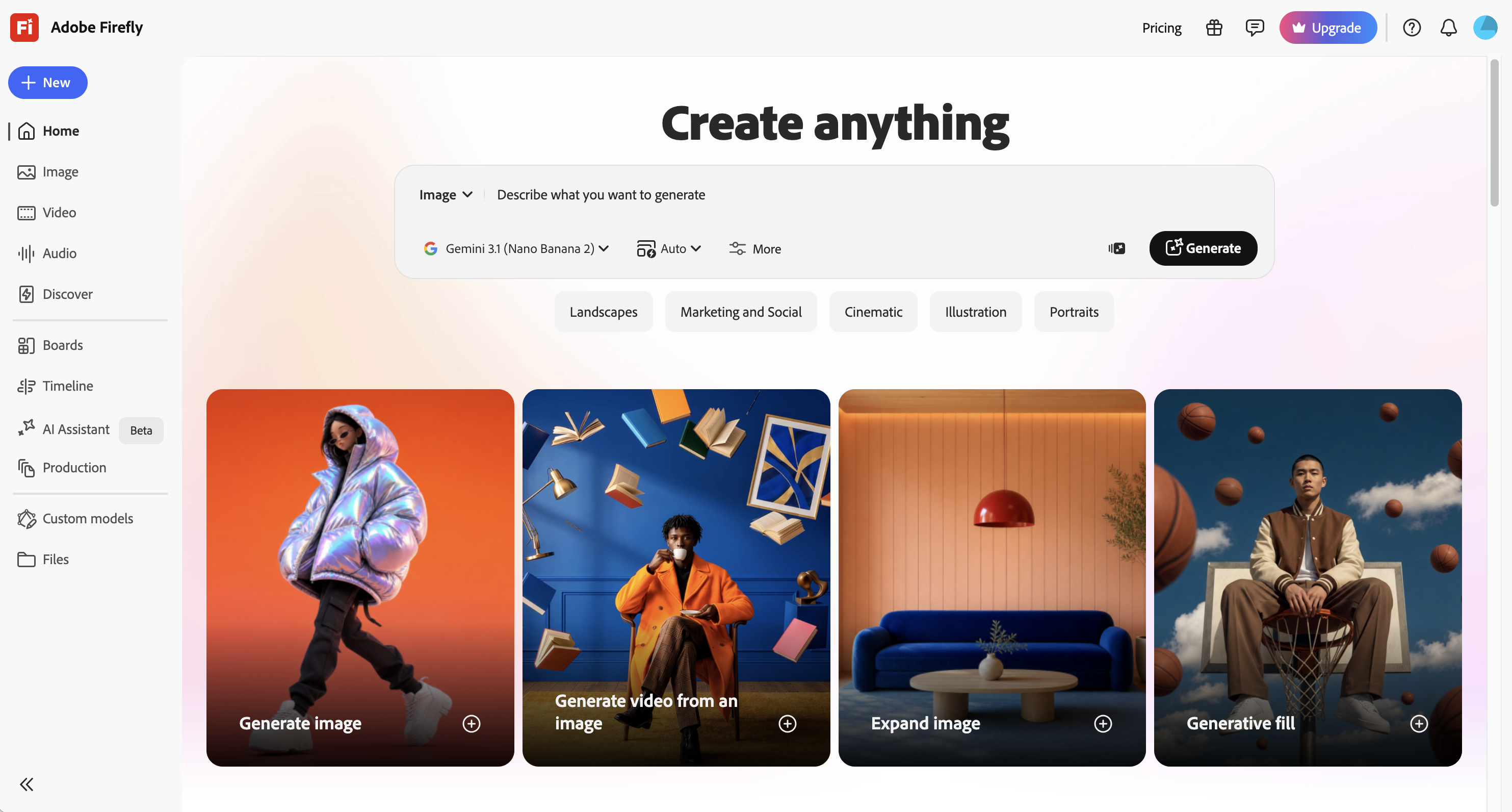
Firefly is built around professional creative production, with image, video, audio, vector generation, editing tools, and integration with Adobe Creative Cloud.
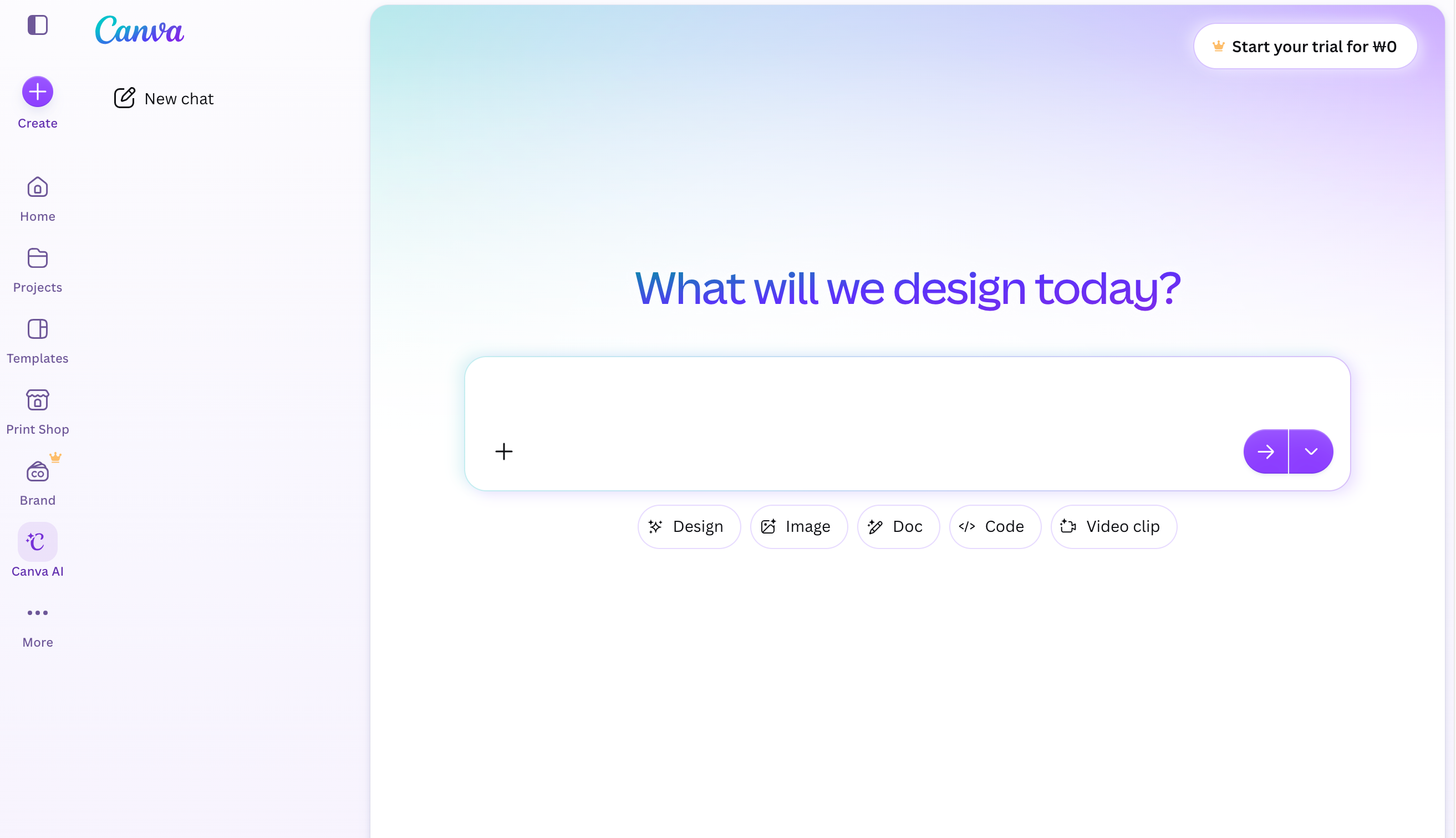
Canva AI focuses on moving quickly from an idea to an editable design, then into branding, resizing, and publishing.
So which one is actually better in 2026?
The answer depends less on which AI model looks more impressive and more on what you want to do after the generation is finished.
Adobe Firefly
Best for designers who want more control over the final asset
Firefly works best when AI is only one part of a larger design workflow.
Adobe currently brings image, video, audio, vector generation, Generative Fill, image editing, and partner AI models into the Firefly ecosystem. It also connects naturally with tools such as Photoshop and Illustrator.
That means the generated asset does not have to remain a finished AI image.
You can keep refining it, compositing it, retouching it, or turning it into part of a larger campaign.
Where Firefly feels strongest
• Generative Fill and object editing
• Image extension and background creation
• Photoshop-assisted workflows
• Vector generation
• Product and campaign visuals
• Image refinement
• AI video source material
• Professional design workflows
For designers already working inside Adobe Creative Cloud, this integration is probably Firefly’s biggest advantage.
Canva AI
Best for speed and complete content production
Canva approaches AI from a different direction.
Its strength is not only generating a visual, but turning that visual into finished, editable content quickly.
Canva AI 2.0 can generate fully layered, editable designs from a prompt, so individual text, graphics, and layout elements can still be adjusted afterwards.
That makes it particularly useful for:
• Instagram posts
• Reels
• YouTube thumbnails
• Presentations
• Brand social kits
• Posters
• Simple advertisements
• Marketing content
You can generate a visual, edit the layout, apply brand colors, resize it, and export multiple formats without leaving the same workspace.
For creators working under tight deadlines, that speed is difficult to ignore.
Image Generation: Same Prompt Test
To compare the two tools more directly, I used exactly the same prompt:
“Editorial product photography of a sculptural perfume bottle on a cream pedestal, soft directional light, minimal luxury fashion campaign, subtle film grain.”

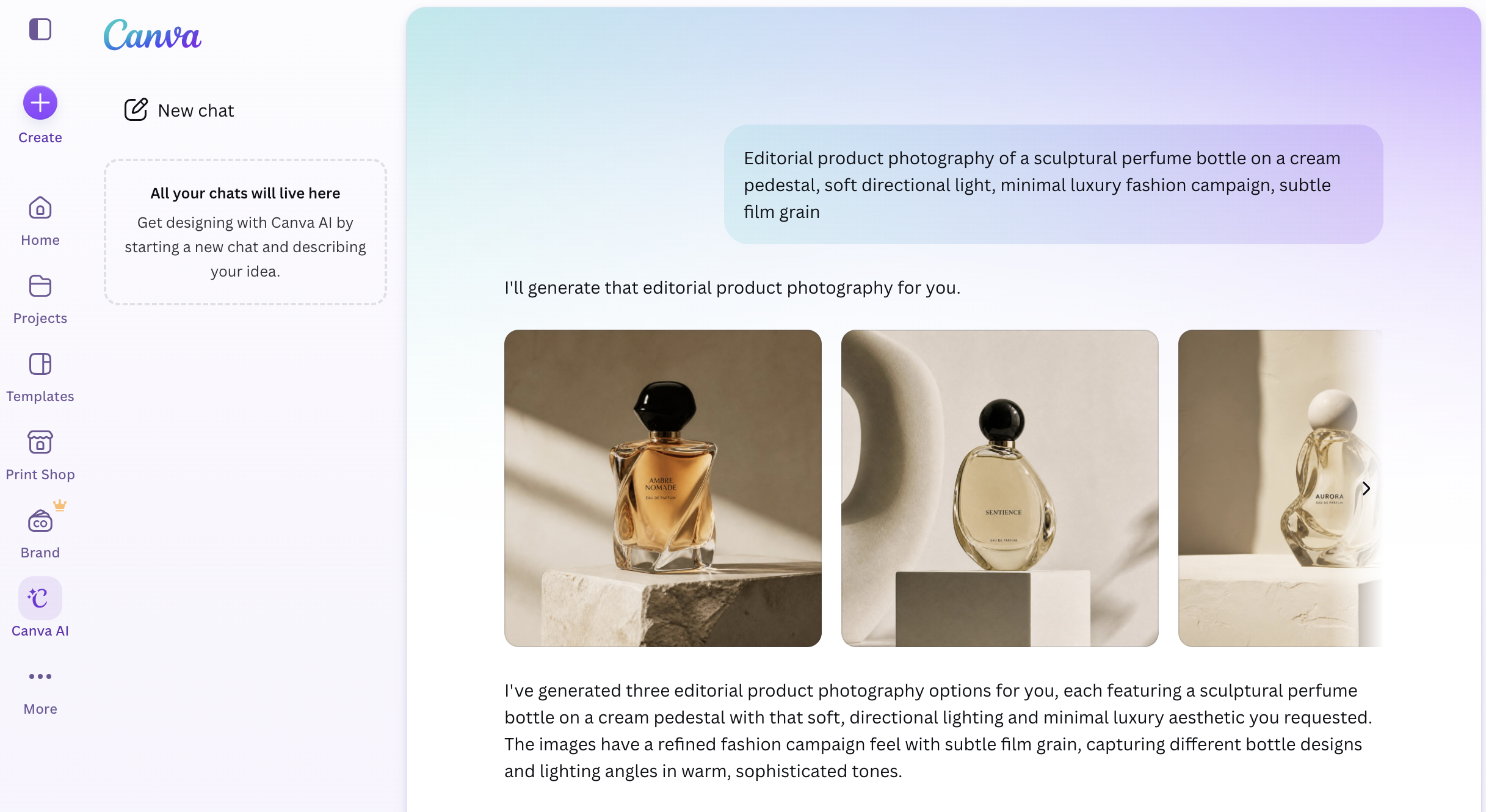
The difference was more noticeable than I expected.
Canva AI: More editorial straight out of the box
Canva interpreted the prompt more like a finished beauty campaign.
The lighting was more dramatic, the backgrounds felt more styled, and the composition had a stronger editorial direction.
It responded especially well to “editorial” and “fashion campaign.”
The result felt closer to something that could immediately sit inside a magazine layout or social campaign.
One drawback was the fictional branding and text that appeared on some perfume bottles. Those details would need to be removed before professional use.
Firefly: Cleaner and easier to refine
Firefly produced a more restrained result.
The perfume bottle was cleaner, the lighting more controlled, and the overall composition felt closer to a polished luxury product shot.
It was less dramatic than Canva, but also less visually busy.
That made it feel more like a source asset I would take into Photoshop and develop further.
My result
Editorial impact → Canva AI
Clean source asset → Adobe Firefly


Canva gave me the stronger first image from an art-direction perspective.
Firefly gave me the cleaner starting point for retouching, compositing, and further production.
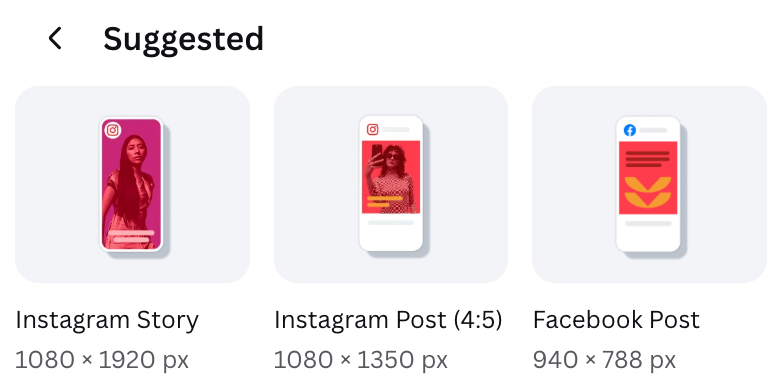
Social Media Design
Canva AI
This is where Canva becomes especially practical.
If the final output is an Instagram post, Story, Reel cover, YouTube thumbnail, or presentation, Canva removes several production steps. The main advantage is not necessarily better image generation.
It is the ability to turn that visual into a complete communication piece immediately.
Canva’s current AI workflow is designed to keep generated elements editable and move them directly into broader design and publishing workflows.
Winner: Canva
For fast social content and template-driven production, Canva is easier.
Graphic Designers vs Content Creators
Choose Adobe Firefly if you are:
• Graphic designer
• Art director
• Photographer
• Illustrator
• Brand designer
• Creative professional already using Photoshop or Illustrator
Choose Canva AI if you are:
• Content creator
• Social media manager
• Small business owner
• Marketer
• Freelancer producing high volumes of social content
• Someone who prioritizes speed over detailed production control
There is overlap, but this is where each platform currently feels most natural.
[image: SIMPLE COMPARISON GRAPHIC — 직접 제작. 흰 배경에 좌우 2단 구성. 왼쪽 "FIREFLY" 아래 Control / Refinement / Adobe Workflow / Asset Production. 오른쪽 "CANVA" 아래 Speed / Layout / Branding / Publishing. 너무 많은 장식 없이 매거진 인포그래픽처럼.]
AI Video
Both platforms now extend beyond static images.
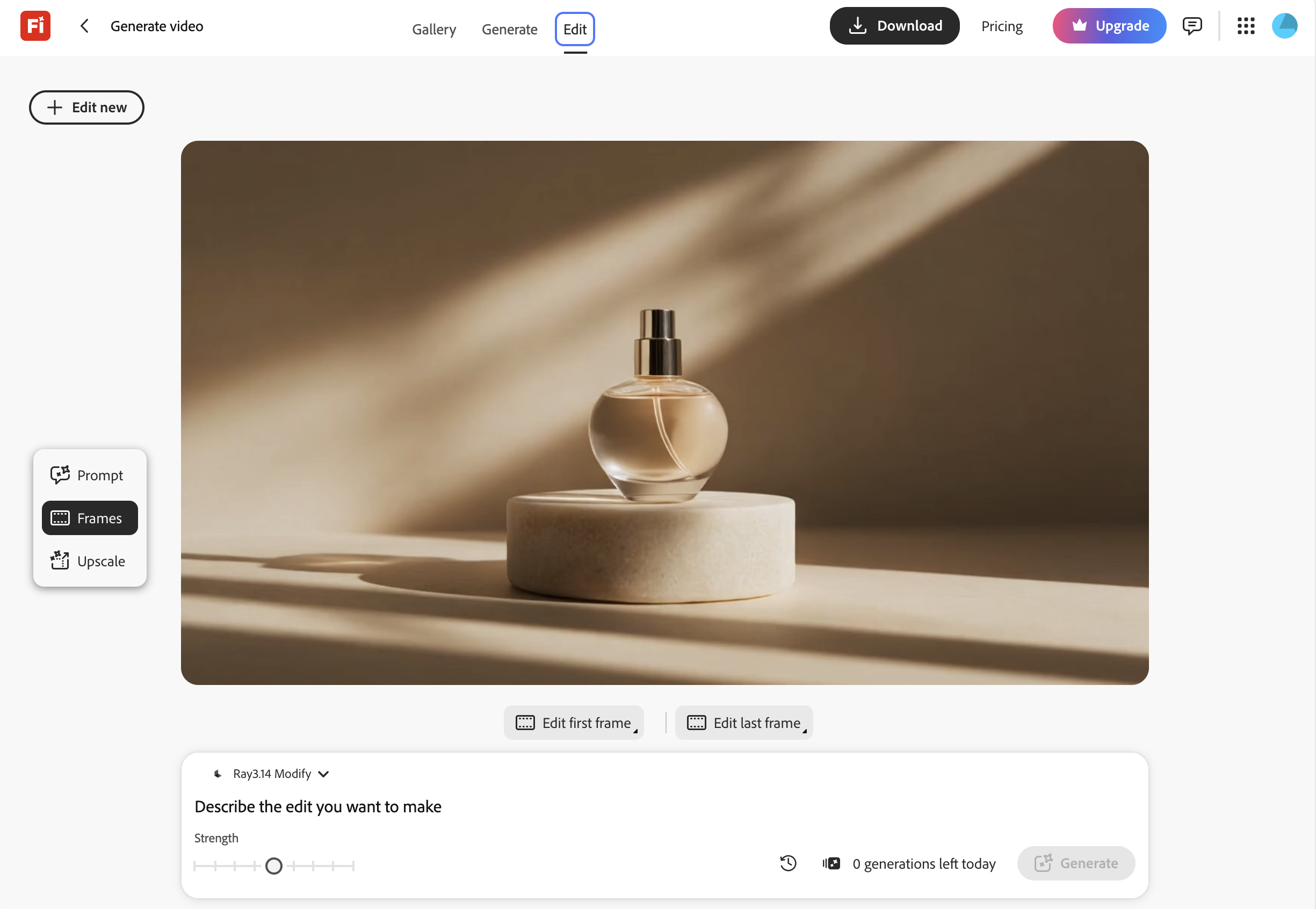
Adobe Firefly supports text-to-video and image-to-video generation, and its video tools can feed directly into a broader creative workflow. Adobe also provides selected partner video models inside Firefly.
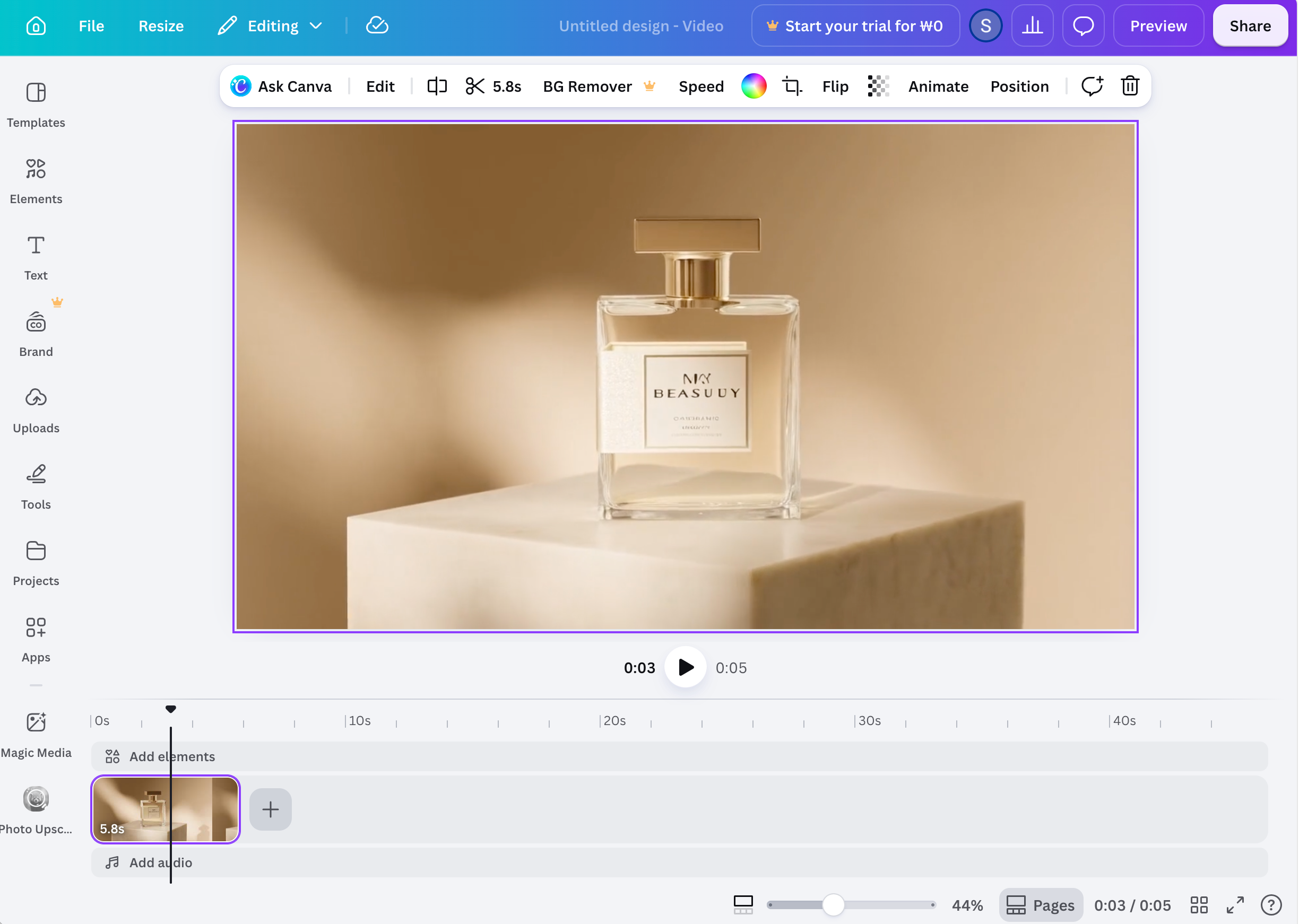
Canva’s advantage appears later in the process: arranging clips, adding typography, captions, graphics, branding, and preparing the final social format.
Generate and refine video assets → Firefly
Assemble and publish short-form content → Canva
Pricing
Firefly and Canva charge for AI in very different ways.
Firefly is built around generative credits. Canva includes AI inside a broader design subscription.
| Adobe Firefly | Canva AI | |
| Free plan | Yes — limited daily generations | Yes — limited AI usage |
| Entry paid plan | Firefly Standard — $9.99/month | Canva Pro — price varies by region/billing |
| AI allowance | Standard: 2,000 credits/month | Pro: up to 2,000 Standard AI uses or 200 Premium AI uses/month |
| Higher tier | Pro: 4,000 credits Pro Plus: 10,000 Premium: 50,000 |
Business offers higher AI limits |
| Standard image generation | Unlimited on paid Firefly plans | Included within plan AI limits |
| AI video / premium models | Uses generative credits | Uses Premium / Ultra AI allowance depending on feature |
| Design tools included | Firefly + Adobe AI workflow | Full Canva design platform |
| Templates / social layouts | Limited compared with Canva | Included |
| Best value for | Heavy AI generation + Adobe workflow | AI + design + social production in one subscription |
Adobe currently lists Firefly Standard at $9.99/month with 2,000 generative credits, Pro at $19.99 with 4,000, Pro Plus at $49.99 with 10,000, and Premium at $199.99 with 50,000. Paid Firefly plans include unlimited standard image and vector generations; credits are mainly consumed by premium features such as video, audio, and partner models.
Canva uses a usage-tier system instead. Canva Free currently allows up to 200 Standard AI uses or 20 Premium AI uses, while Canva Pro increases that to up to 2,000 Standard or 200 Premium AI uses per month. AI is bundled with Canva’s wider design environment rather than sold as a standalone generator.
Which gives better value?
Choose Firefly if:
You mainly want AI image/video generation and already work with Adobe tools.
Choose Canva if:
You want AI generation, templates, layout, resizing, branding, presentations, and social publishing in one place.
My take: Canva gives you more tools for one subscription, while Firefly gives you a more specialized AI-production workflow.
See Adobe Firefly Plans
See Canva Plans
Which One Produces Better Design?
This is the part that comparison articles often miss.
The tool itself does not determine whether a design looks good.
What changes is how much control, speed, and continuity you get across the production process.
Firefly
generate → edit → composite → retouch → vectorize → refine
Canva
generate → layout → brand → resize → publish
Neither workflow is inherently better.
They are optimized for different priorities.
My Pick
• Professional graphic design: Adobe Firefly
• Fast social-media production: Canva AI
• Branding and campaign visuals: Adobe Firefly
• Presentations and social templates: Canva AI
• Photoshop / Illustrator users: Adobe Firefly
• Beginners and non-designers: Canva AI
If I could only keep one as a professional designer, I would choose Adobe Firefly.
It offers a deeper editing ecosystem and gives me more room to refine the asset after generation.
If my priority were publishing multiple social assets every day, Canva would probably save more time.
The Better Workflow May Be Using Both
The most useful workflow in 2026 may not be choosing one platform at all.
Firefly
→ generate and refine the hero visual
Photoshop
→ retouch and composite
Canva
→ adapt into Instagram Post / Story / Reel Cover
That division makes more sense than forcing one tool to do everything.
AI is becoming another production layer — not a replacement for the design workflow around it.
'CREATOR > AI & Tools' 카테고리의 다른 글
| Free AI Plans & Credits | Video, Voice & Music AI (0) | 2026.08.21 |
|---|---|
| Free AI Plans & Credits | Image AI (0) | 2026.08.21 |
| Free AI Plans & Credits | Writing, Search & Research (0) | 2026.08.21 |
| Free AI Plans & Credits in 2026 | What to Try Before You Pay (0) | 2026.08.21 |
| Best AI Video Generators for Reels & Shorts in 2026 (0) | 2026.08.08 |